Syncs with Google Calendar and Apple Calendar
Appointment calendar
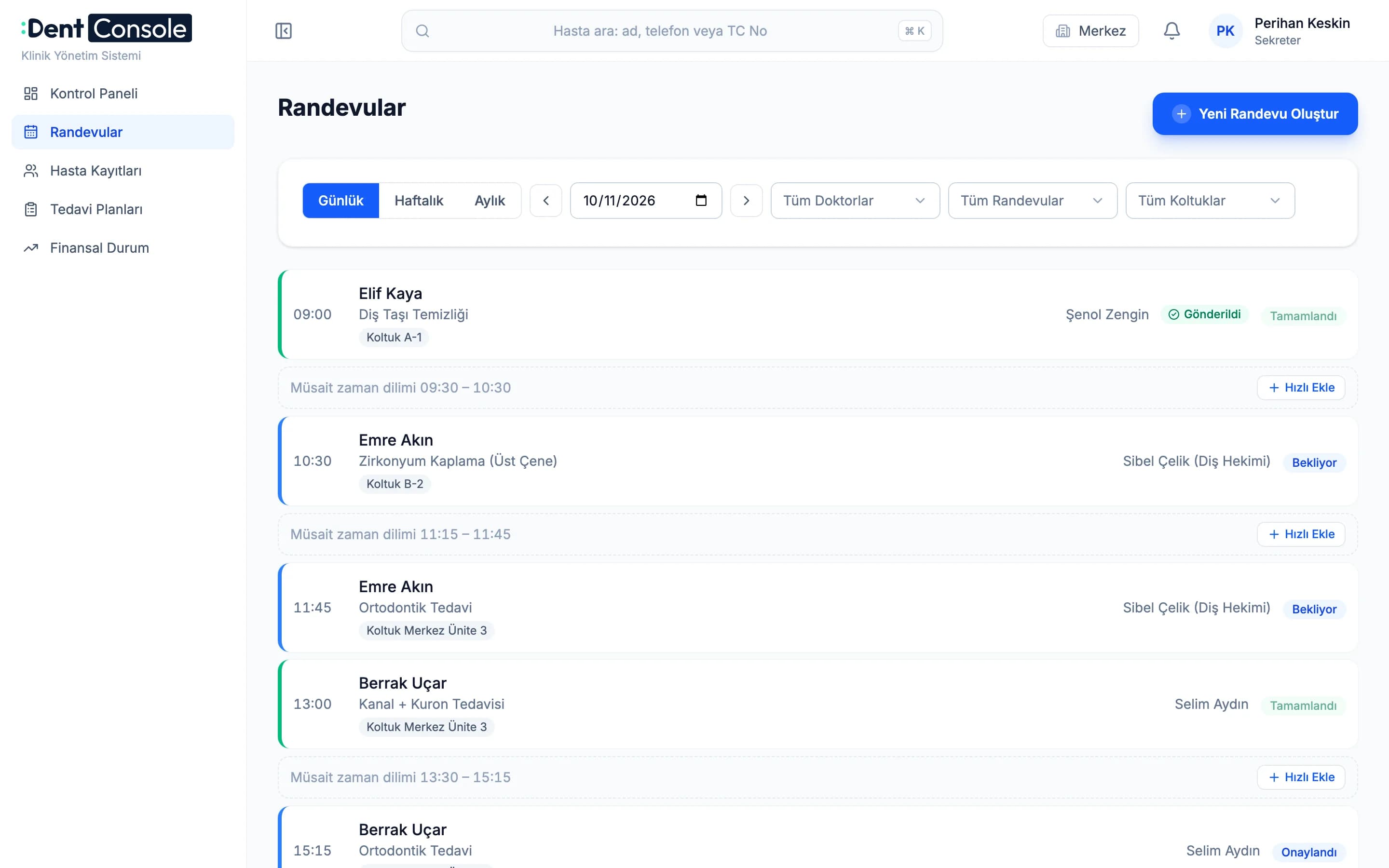
See the day by dentist and chair. Appointments sync both ways with each dentist’s Google or Apple calendar, so changes made there show up in DentConsole too.
Practice management software for dental clinics
Appointments, patient records, dental charts, payments and branches in one place. Separate, simple screens for the front desk, dentists and managers.
A sample clinic day: the clinic opens in the morning, patients arrive, payments come in and the day closes in the evening.
Why DentConsole
When appointments live in one place, payments in another and patient notes in a third, the day falls apart. DentConsole keeps everything together. Everyone sees who arrived, who paid and who is next on the same screen.
Features
Every step from booking to payment happens in the same system. The screens are simple enough for a new receptionist to use on day one.
See the day by dentist and chair. Appointments sync both ways with each dentist’s Google or Apple calendar, so changes made there show up in DentConsole too.
Find a patient by name. Allergies, the last visit and the balance sit at the top of the record.
Every tooth’s history on one chart. Completed and planned treatments each have their own colour.
Build the plan step by step. See which steps are done and what is still due.
Take payments and track what is owed. Overdue payments are listed in one place.
Each branch works on its own screen. Managers see all branches together or one at a time.
We are working on sending examination and treatment records to e-Nabız, Türkiye’s national health record system. We will announce it when it is ready.
Roles
The front desk sees the flow of the day, dentists see their next patient, managers see every branch. Nobody wades through information they don’t need.
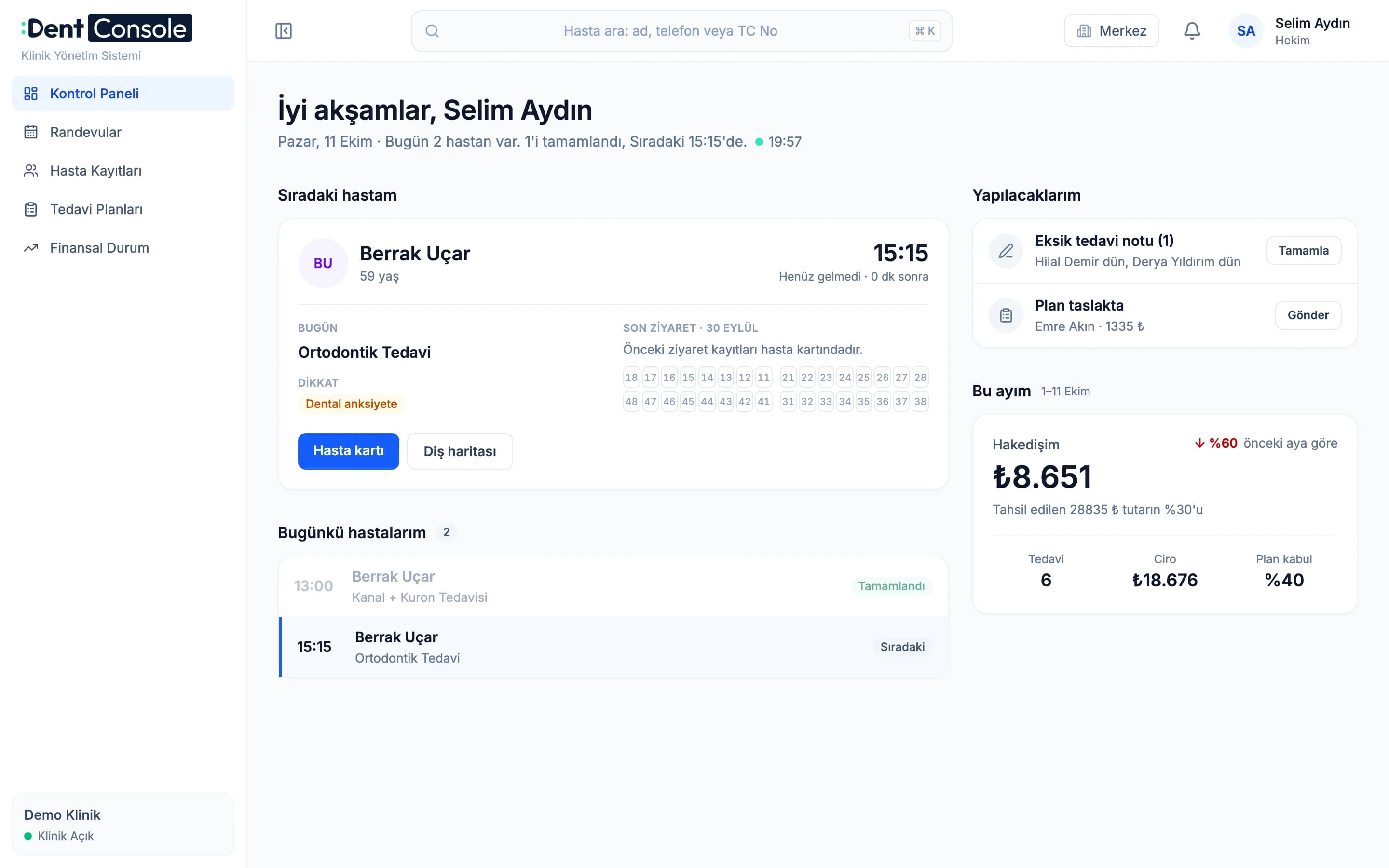
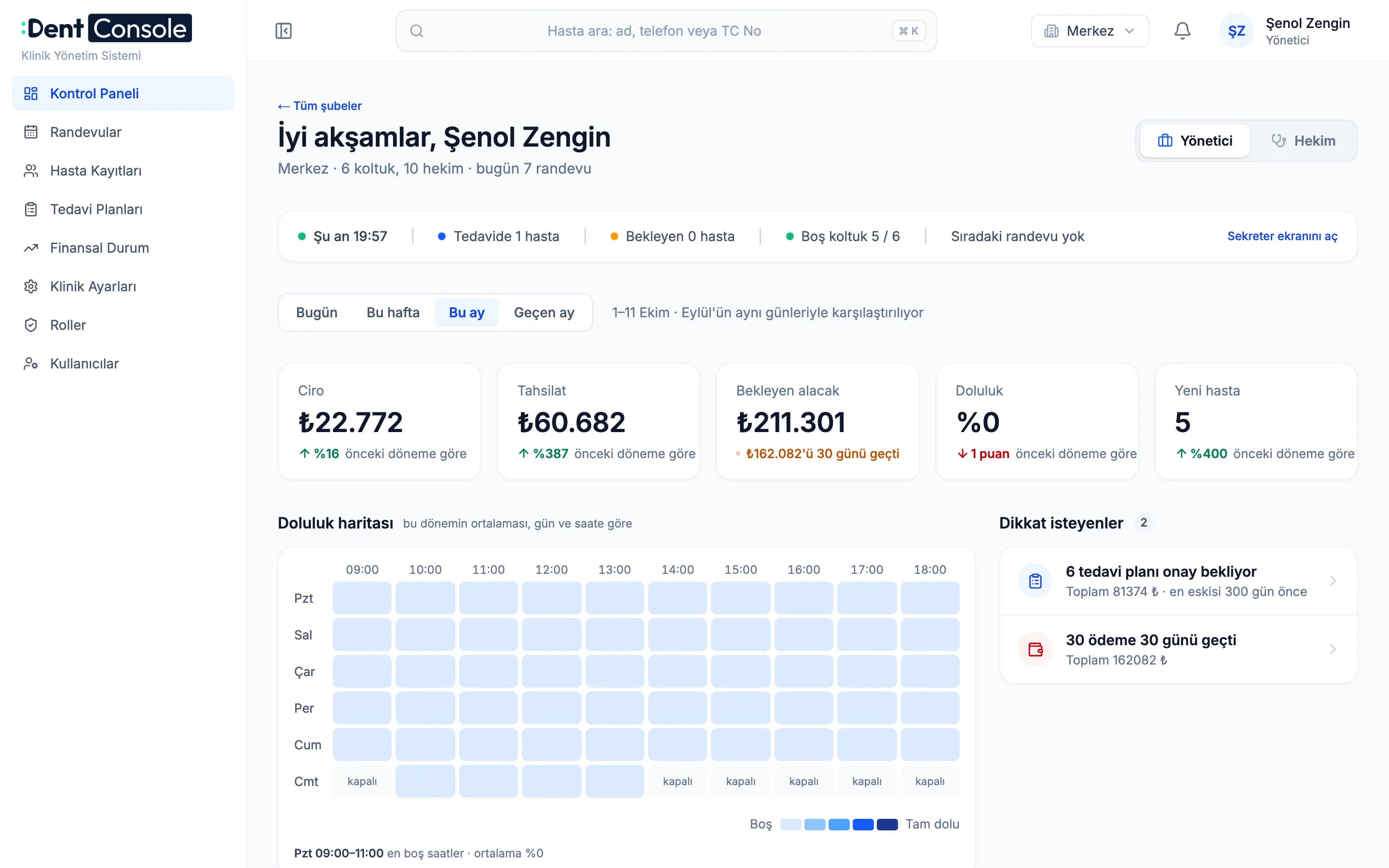
If the owner is also a dentist, they switch between the two screens with one click.
How it works
We listen to how your clinic works and show DentConsole with your own examples.
We set up your branches, dentists and chairs together. There is nothing to install.
Your team signs in with their own role and works on their own screen.
Security
Patient information is sensitive personal data. DentConsole limits access by role and branch.
Receptionists don’t see financial reports. A dentist’s dashboard shows only their own patients and earnings. Permissions are checked on the server for every request.
National ID numbers are not shown in search or dashboards, and phone numbers are masked.
Users only see data from the branches they are authorised for.
| Front desk | Dentist | Manager | |
|---|---|---|---|
| Today’s flow and appointments | Sees | Own patients | Sees |
| Patient balances | Sees | Doesn’t see | Sees |
| Clinic and branch financial reports | Doesn’t see | Doesn’t see | Sees |
| Dentist earnings | Doesn’t see | Own only | Sees |
Rules for the dashboard and patient search.
FAQ
No. DentConsole runs in the browser. All you need is a computer with an internet connection.
Yes. Each branch works on its own screen. Managers see all branches together or one at a time and compare them in a single table.
Yes. Dentists see their appointments in their own Google or Apple calendar. Sync works both ways, so a change made in the calendar is reflected in DentConsole too.
There are separate screens for the front desk, dentists and managers. If the owner is also a dentist, they can switch between the two.
Not yet. We are working on e-Nabız (USS) reporting and will announce it when it is ready.
We prepare a quote based on your clinic’s needs. Let’s talk about it during the demo.
We listen to how your clinic works, show the screens from booking to payment with your own examples and answer your questions.
Demo
Fill in the form and we will call you to find a good time for a short demo.